 AINOW
Every request follows the same five steps.
Whether it starts as a phone call or an email, the rules you set apply every time.
Arrive
A call, chat, email or Teams message
Zoe knows who is asking, whichever channel they use.
Understand
Context from memory and your documents
Zoe reads that person's history, searches your documents and shows her sources.
Check
Your rules come first
Zoe checks the request against your rules. Anything high-risk waits for a person to approve it.
Act
Work done in your systems
Zoe or her team of agents opens, updates or closes the record through each system's own connection.
Record
Every step in the audit log
What was asked, what was checked, what changed and who approved it.
Four ways to work, one Zoe.
Chat, phone, email and agent teams share the same memory and rules. A request that starts on the phone and finishes by email stays one piece of work.
Answers from your own content.
Upload policies, product guides and runbooks. Zoe finds the right passage and shows where each answer came from. Each person has one history across channels, so nobody has to repeat themselves.
- The formats you already have
- PDF, Word, HTML, Markdown and text.
- Only what you allow
- Zoe and each agent see only the knowledge bases you allow.
- Sources in every answer
- Each answer shows where it came from.
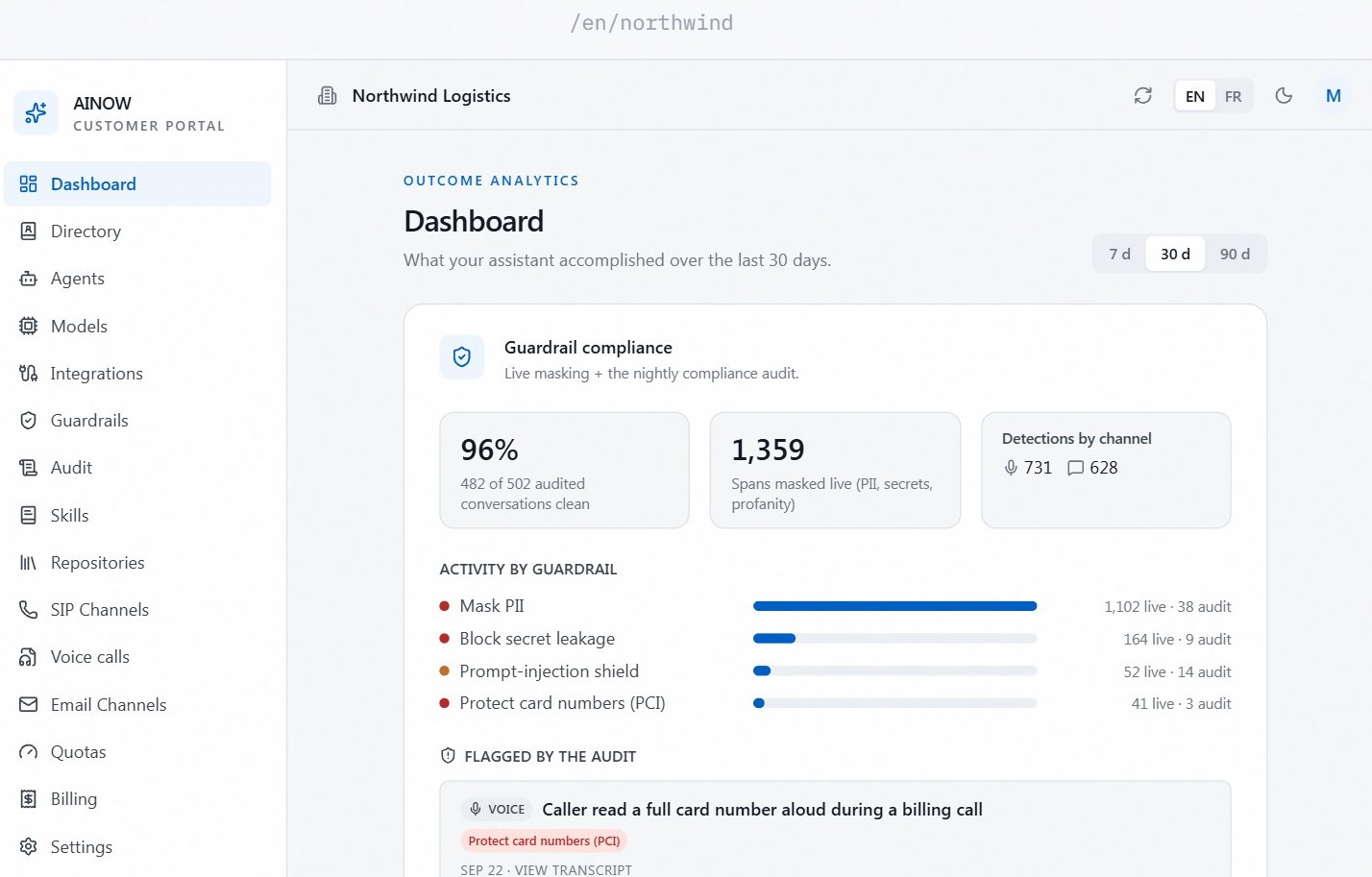
Your rules apply before anything happens, not after.
Every tool Zoe can use has a risk level. Looking things up needs no sign-off, changes follow your policy, and high-risk changes wait for a person to approve them. Every check is recorded, with the reason.
- Approve from the portal, or confirm out loud on a call where policy allows.
- Role-based access for every admin and reviewer.
- Export the audit log for your own review.
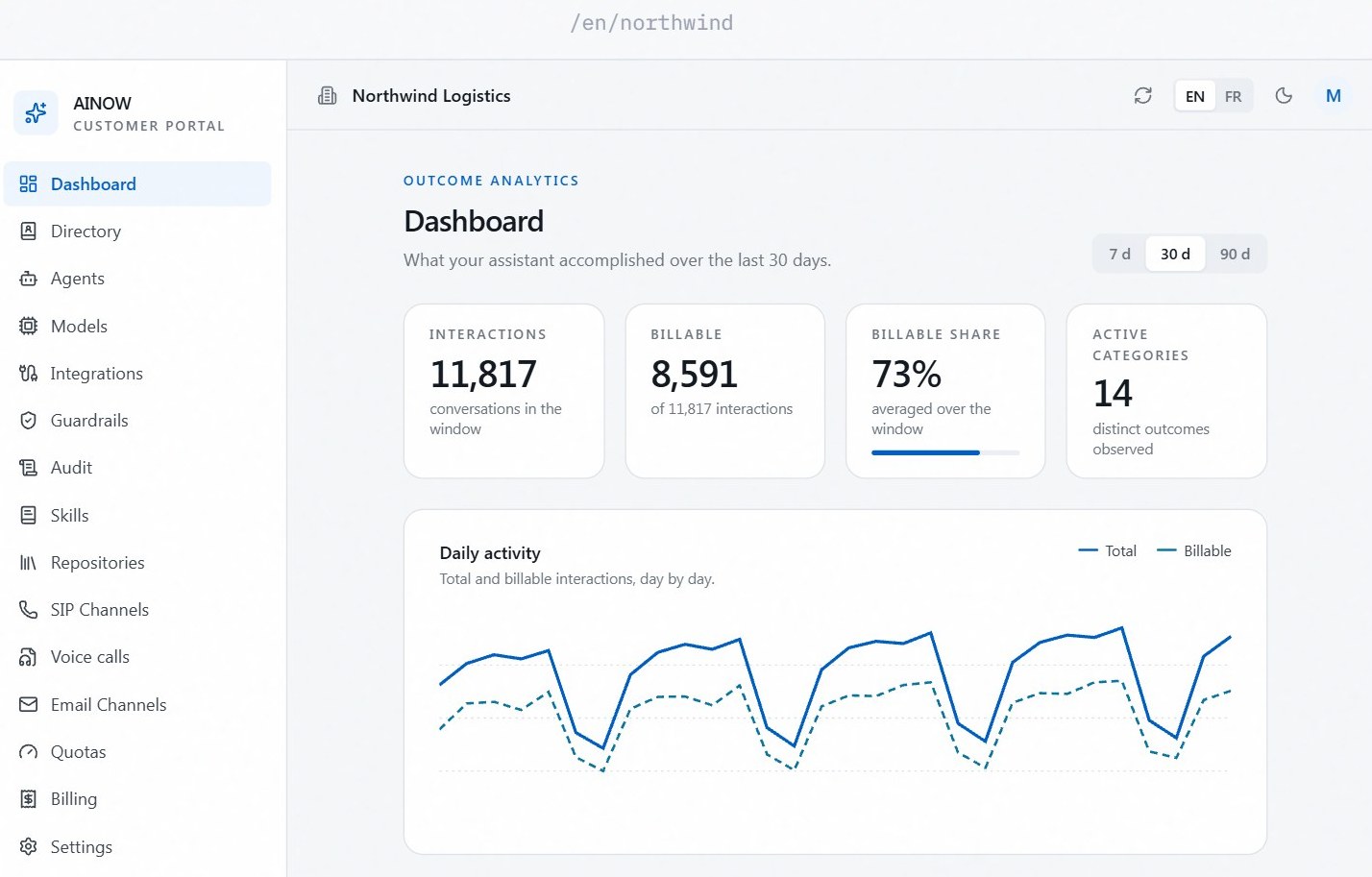
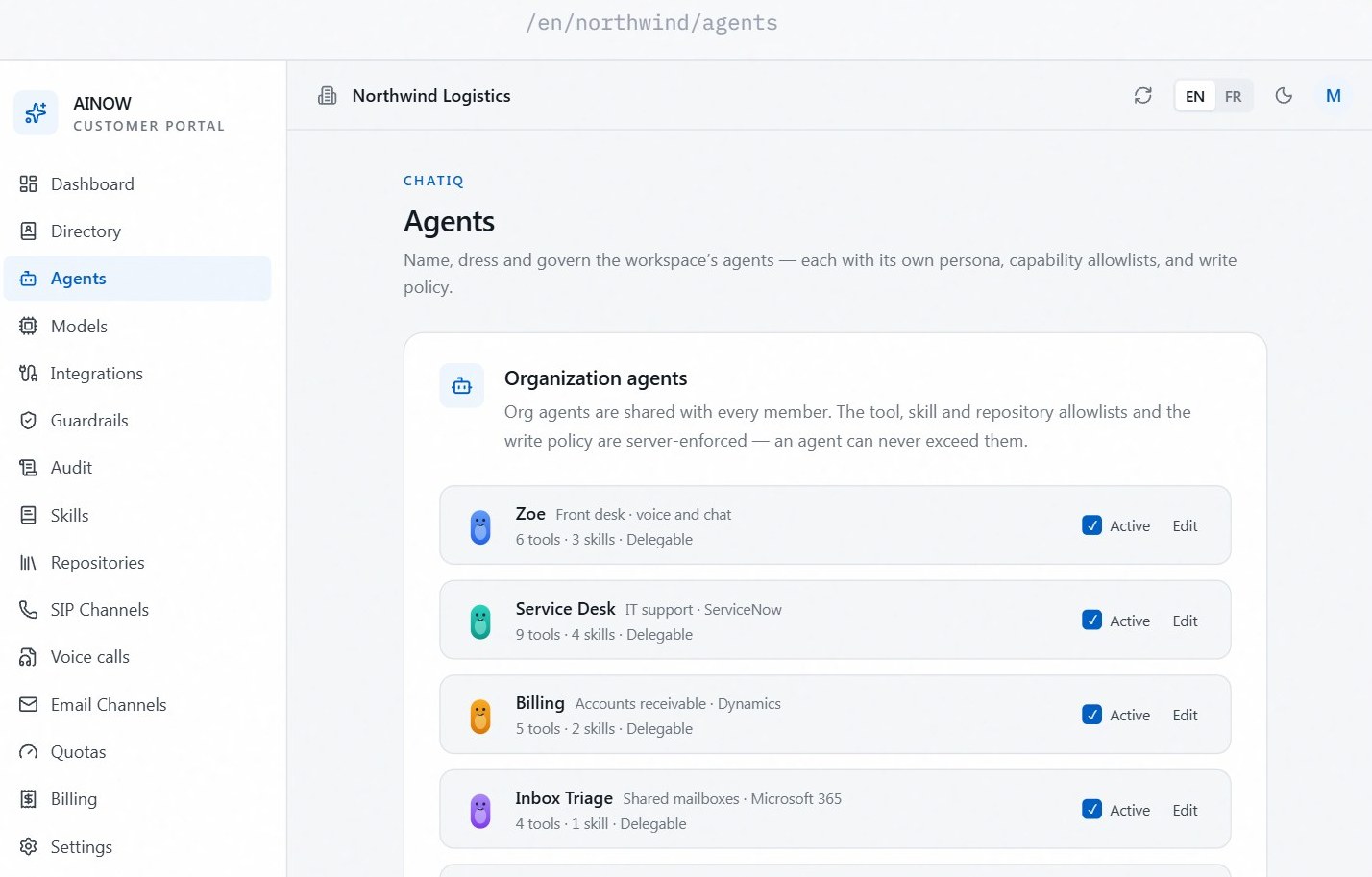
Run it like any other system.
The customer portal shows outcomes, usage and how every agent is set up. Choose which tools, skills and documents each agent can use, and change it without waiting for a release.
- Outcome and usage dashboards.
- Instructions, tools and knowledge set for each agent.
- A system check for every connection.
Keep an eye on all your AI.
The same platform watches the AI you did not build. Every night AI Command Center looks across Microsoft, your systems of record and your AI vendors, lets you act on what it finds with a person approving every step, and keeps evidence your auditor can verify alone.
- One list of every AI in use, with its owner and risk level.
- Checks mapped to seven frameworks, four of them Canadian.
- Signed records your auditor can check without trusting AINOW.
- CT-01Every asset has an ownerFail, 1
- CT-07Over-broad agent connectors are reviewedFail, 1
- CT-08No unsanctioned app in usePass
- CT-10Guardrails are onPass
- CT-11Audit chain anchored dailyPass
Five of the checks. Illustrative example.
Works with the systems you already run.
Zoe acts through each system's own API and permissions, so work lands in the record your team already uses.
 ServiceNow
 Salesforce
 Dynamics 365
 Microsoft 365
 Microsoft Teams
 Zendesk
 Jira
 HubSpot
 Zoho Desk
 Freshdesk
 GitHub
- Any REST APICustom connector
See every system Zoe connects to
Product names are trademarks of their respective owners.
Built to pass your security review.
The controls your security team asks about are part of the platform, not an add-on.
- Hosted where you need it
- Runs in Azure Canada Central, or in the region your organization requires. Your data stays in the region you choose.
- A database per customer
- Each customer's data lives in its own database, never mixed with another's.
- Your own sign-in
- Microsoft Entra ID or your own OIDC provider, with roles for who can see and change what.
- Credentials in a key vault
- Connector credentials are kept in Azure Key Vault, never in prompts or logs.
- Every action on the record
- Each request, check, change and approval is logged and can be exported.
Live in four weeks.
No re-platforming. AINOW plugs into the systems and approval rules you already have.
- Week 1
Connect
Link your systems, channels and knowledge bases.
- Week 2
Set policy
Decide what Zoe may do alone and what needs approval.
- Week 3
Pilot
Zoe works live alongside your team, with every action reviewed.
- Week 4
Go live
Widen the scope channel by channel as the results hold.
One platform for all your clients.
Managed service providers run every client on one platform. Each gets its own tenant, data, policy and branding, and you manage them all from one place.
Questions about the platform.
Does AINOW replace ServiceNow or Salesforce?
No. It works inside the systems you already run, through their own APIs and permissions, so records stay where your team expects them.
Where is our data stored?
In Azure Canada Central, or in another region if your organization requires it. Each customer has its own database, and connector credentials are kept in Azure Key Vault.
Can we control what Zoe is allowed to do?
Yes. You choose each agent's tools, skills and knowledge bases, set which actions need approval, and every decision is logged.
How long does it take to go live?
About four weeks: connect, set policy, pilot alongside your team, then go live channel by channel.